
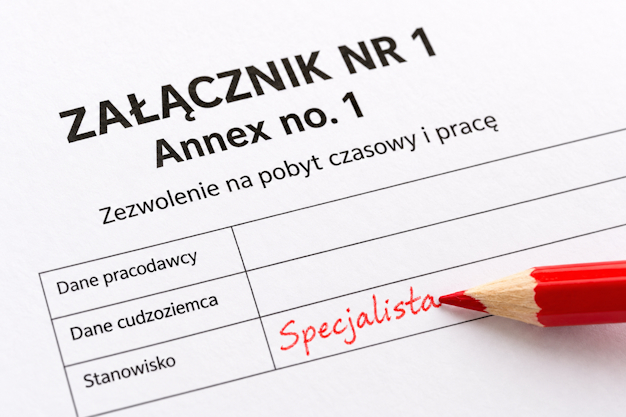
The new system for residence permit applications (MOS 2.0) is certainly making an already troublesome process more complicated. It can be a challenge for both foreigners and their employers to prepare all of the required paperwork properly. Here is a short step-by-step guide on how the employer should fill in the Załącznik nr 1 (Annex No. 1).
…
What is Załącznik nr 1 (Annex no. 1) and when it has to be submitted?
Załącznik nr 1 (or Annex no. 1/Attachment no. 1) is a declaration signed by the employer, that has to be included as part of the application for a Polish residence permit for the foreign employee.
It is typically submitted together with the application form. The new system (MOS 2.0) requires that it is filled and signed online before the application is submitted. It can be signed by the company representative or proxy, using their Trusted Profile or electronic signature.
Before you will be able to fill it on, your employee should have to fill in and confirm the application form. Only then you will receive a link to the website where you can find the Załącznik nr 1 (Annex no. 1) for your employee’s application.
…
Here is a step-by-step guide on how to fill it in for a new application:
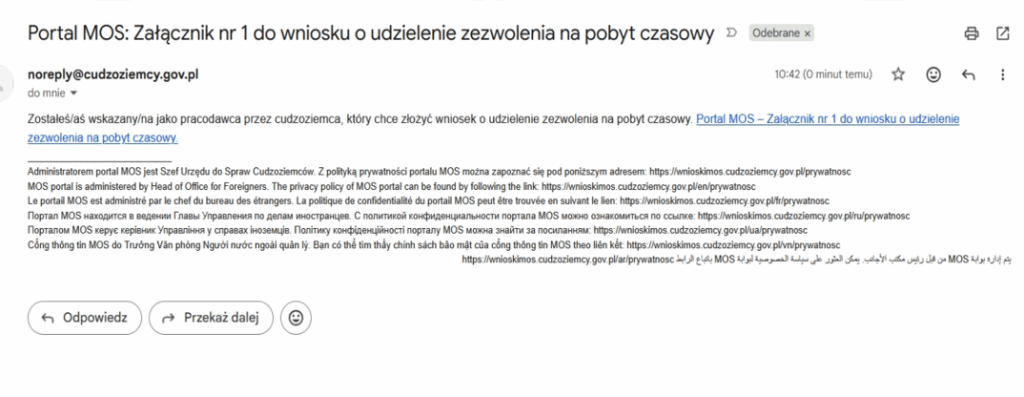
1. Log in to your email account. You should find an email from the noreply@cudzoziemcy.gov.pl. If you can’t find this, you should check the SPAM folder.
Then click the link in the email, it will take you to the MOS website.
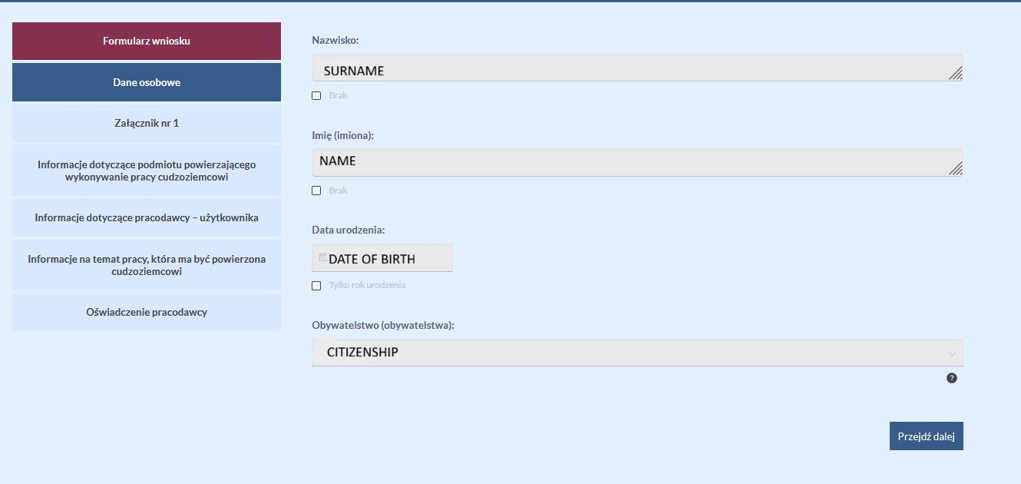
2. Fill in your details. Then choose “Przejdź dalej / Next”.
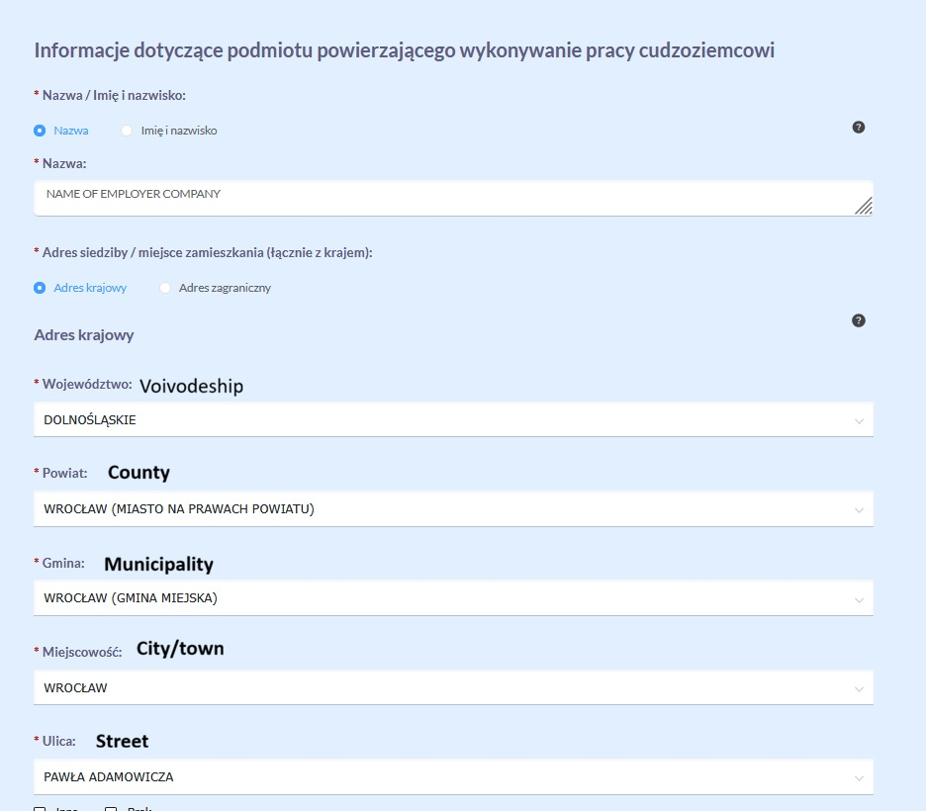
3. Fill in your company’s address details using the information from KRS or CEIDG.
Select “Nazwa” for a limited liability company (sp. z o.o.) or other company registered in KRS, or “imię i nazwisko” for sole proprietorship (jednoosobowa działalność gospodarcza).
Choose “Adres krajowy”.
Fill in the address. Then choose “Przejdź dalej / Next”.
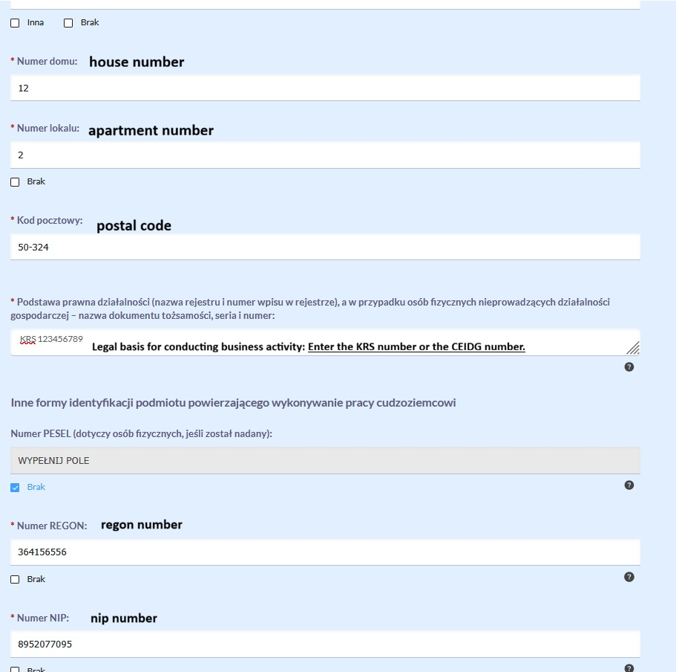
4. Fill in the remaining fields as follows:
- House number
- Apartment number – enter the apartment/unit number If there is no apartment number, select “Brak / None.”
- Postal code
- podstawa prawna działalności gospodarczej – enter the KRS number or the CEIDG (NIP) number.
- PESEL number – select “Brak / None”
- REGON number
- NIP number
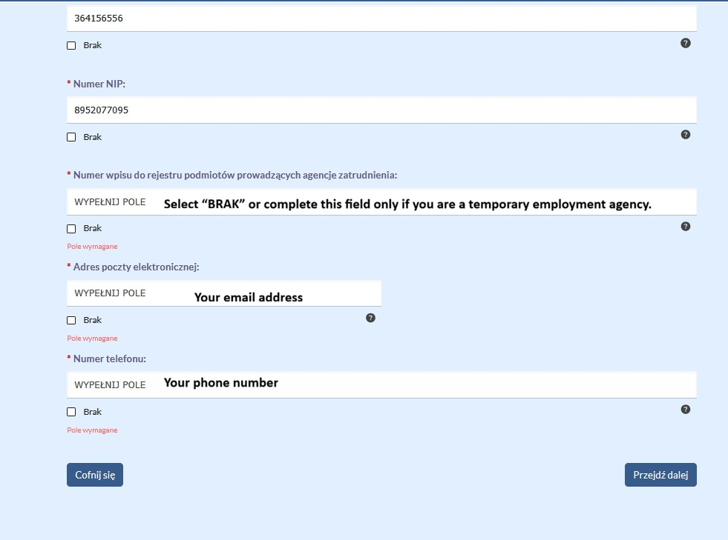
5. Fill in the remaining fields as follows:
- Numer wpisu do rejestru podmiotów prowadzacych agencję zatrudnienia – fill in this field only if you are an employment agency; otherwise, select “Brak / None.”
- Your email address
- Your phone number
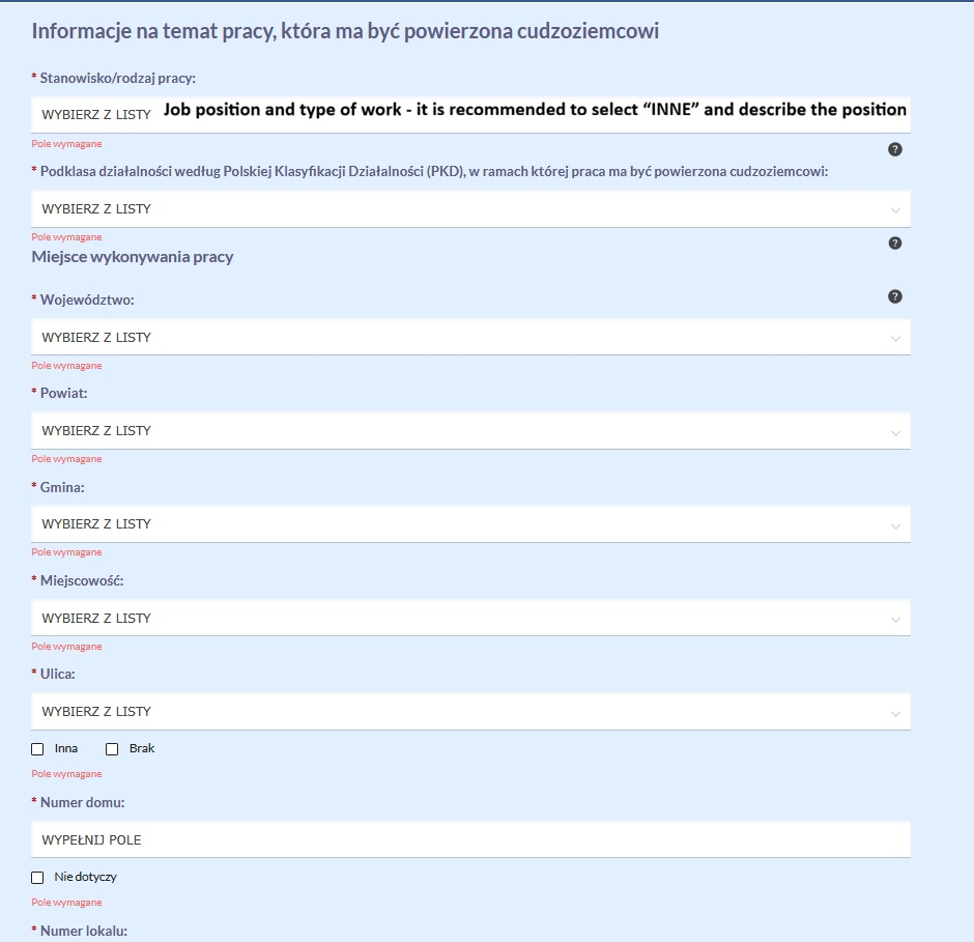
6. In “Infomacja na temat pracy, która ma być powierzona Cudzoziemcowi”
- you must write the job position (stanowisko pracy) by selecting it from the list. When in doubt, you can choose “INNE” and manually enter the position. It should be the same as on the work contract.
- “Podklasa działalności według Polskiej Klasyfikacji Działalności (PKD)” – It is the code you include in your application to ZUS – enter the same code in this field.
- Include place of work by entering the full address, including the voivodeship, county, municipality, city/town, and the exact street address (street name, house number, and apartment number, postal code)
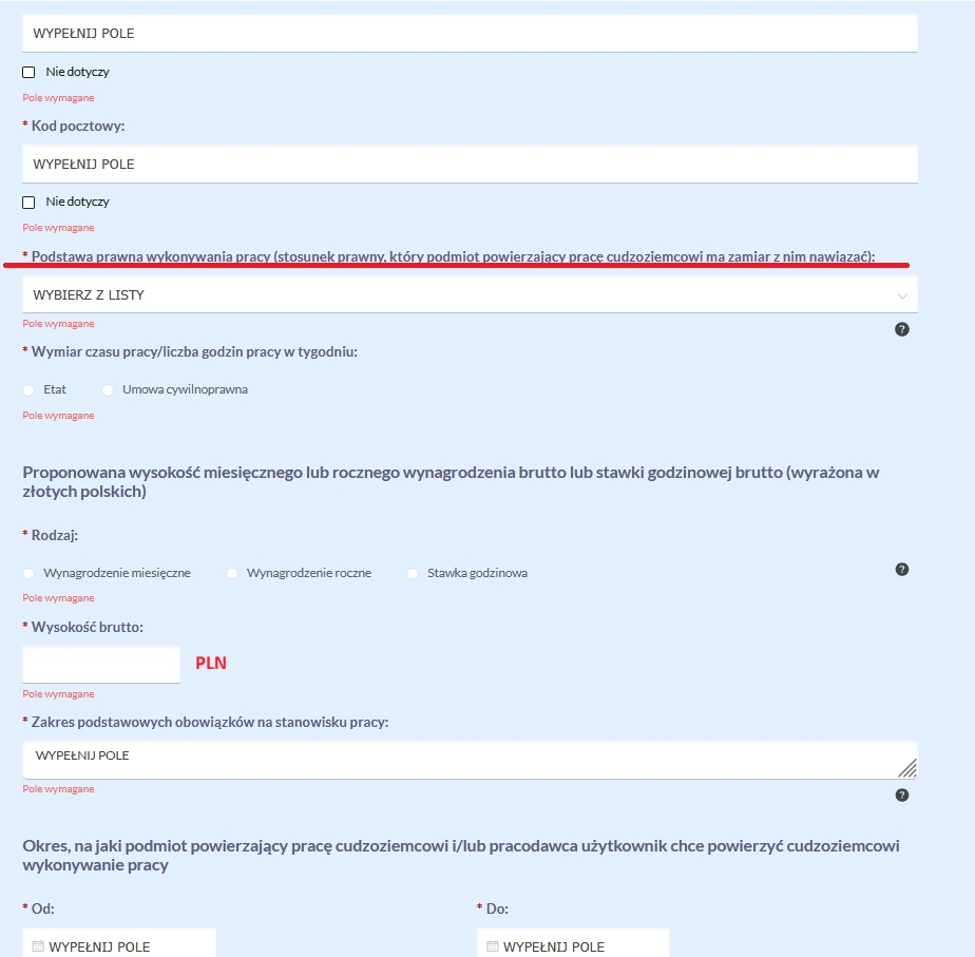
7. In the section “Podstawa prawna wykonywania pracy”, please select the type of contract – e.g. UMOWA O PRACĘ or UMOWA ZLECENIA or UMOWA O DZIEŁO
- Select “Etat” if the employee is employed under an umowa o pracę with a standard working time of 40 hours per week.
- Select “Umowa cywilnoprawna” if the employee is working under a contract other than an umowa o pracę.
- Enter the gross salary in PLN
- List the basic duties of an employee in this position
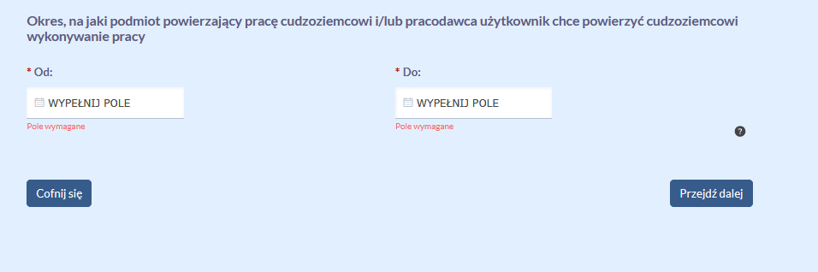
- Fill the period for which you intend to assign the employee to perform the work.
Then choose “Przejdź dalej / Next”.
8. Fill in the planned duration of employment. Please mind this is not the same as the duration of current contract. The duration of the residence permit that your employer will get will be limited by the duration you declare here. So the longer period you declare, the longer a residence permit will be.
If you declare duration of planned employment of 3 years or longer, the employee should receive a residence permit for a maximum time of 3 years.
You are not obligated to provide employment for the entire period you declared. It is only a planned duration of employment – and your plans can change at any time.
Then choose “Przejdź dalej / Next”.
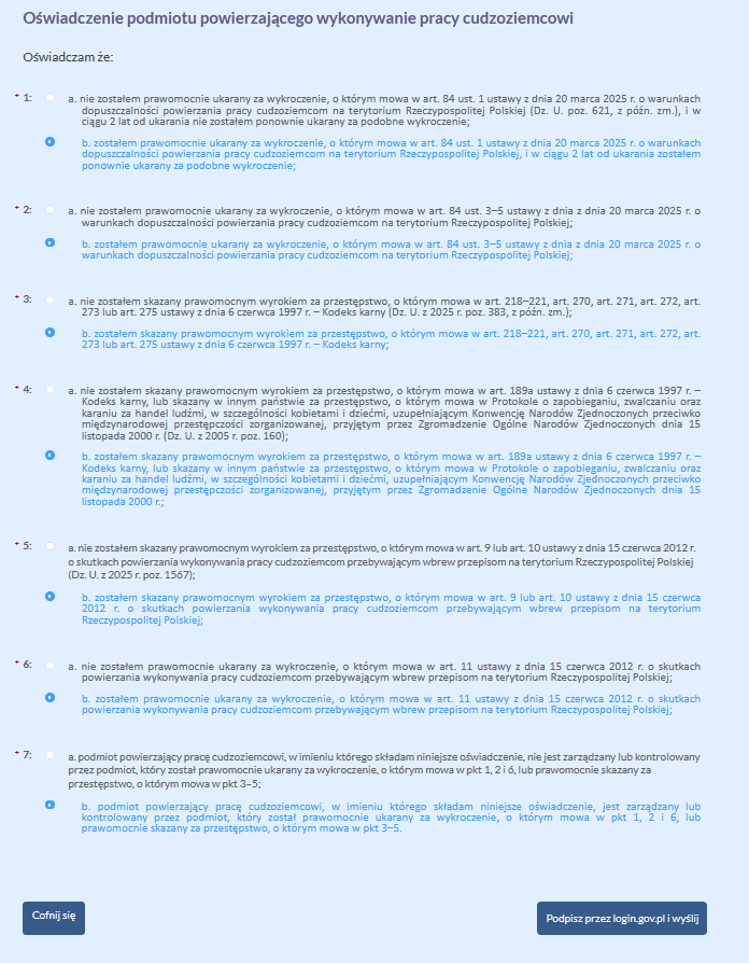
9. Please mark the appropriate declarations truthfully. After selecting the declarations, choose „Podpisz przez login.gov.pl i wyślij”.
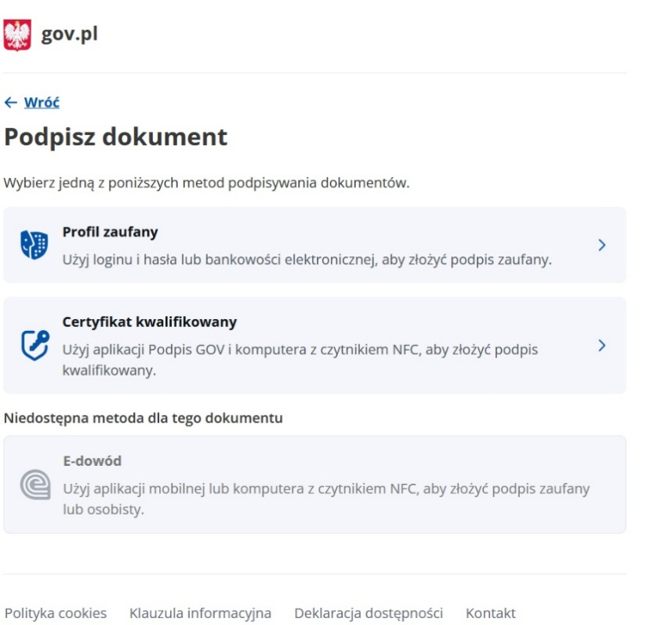
10. Choose “Profil zaufany” to sign it with the Trusted Profile. Then either use your user name and password (that you chose when you registered the Profil Zaufany) or your bank (if you registered the Profil Zaufany through your bank).
If you have a certified electronic signature, you can choose “Certyfikat kwalifikowany” instead.
11. If everything went well, you should receive the below message. This means that the application is submitted successfully. You can download the full application with “Pobierz PDF”.
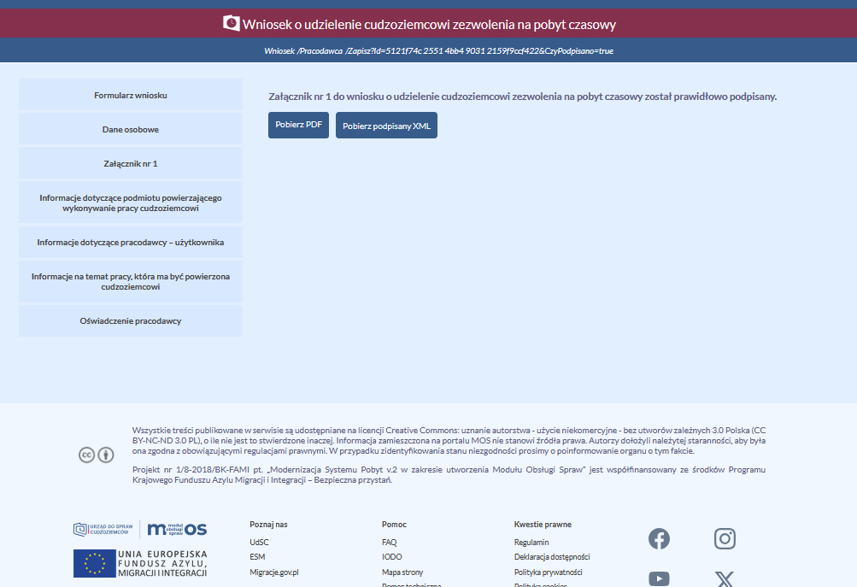
Once you successfully sign the Załącznik nr 1, your employee will be able to submit the residence permit application.
Do you need professional assistance with applying for a residence permit or a work permit?
Feel free to contact us and take advantage of our services.