

Since the introduction of the new MOS 2.0 residence permit application system, foreigners applying for a residence permit need a Trusted Profile for MOS 2.0. Without a Trusted Profile (Profil Zaufany), it is not possible to log in to the system, confirm your identity and submit a residence permit application. Below you will find a short guide explaining what a Trusted Profile is, what you need to register it and how to complete the registration.
—
What is a Trusted Profile?
A Trusted Profile (Profil Zaufany) is a free electronic identification method used to access Polish government services online. It allows you to confirm your identity, log in to official systems and sign electronic applications and documents. Using the Trusted Profile, you are able to handle many administrative matters online, without having to visit Polish government offices in person.
It is completely free and available to both Polish citizens and foreigners (regardless of their legalization status).
—
What do I need get my Trusted Profile?
To register the Trusted Profile, you should first get a PESEL number. PESEL number is usually granted when you register your address [zameldowanie] or when you apply for it separately. If you already have a PESEL number, there is no need to do any changes about it – you can register a Trusted Profile right away.
—
Here are the steps you should take to register your Trusted Profile:
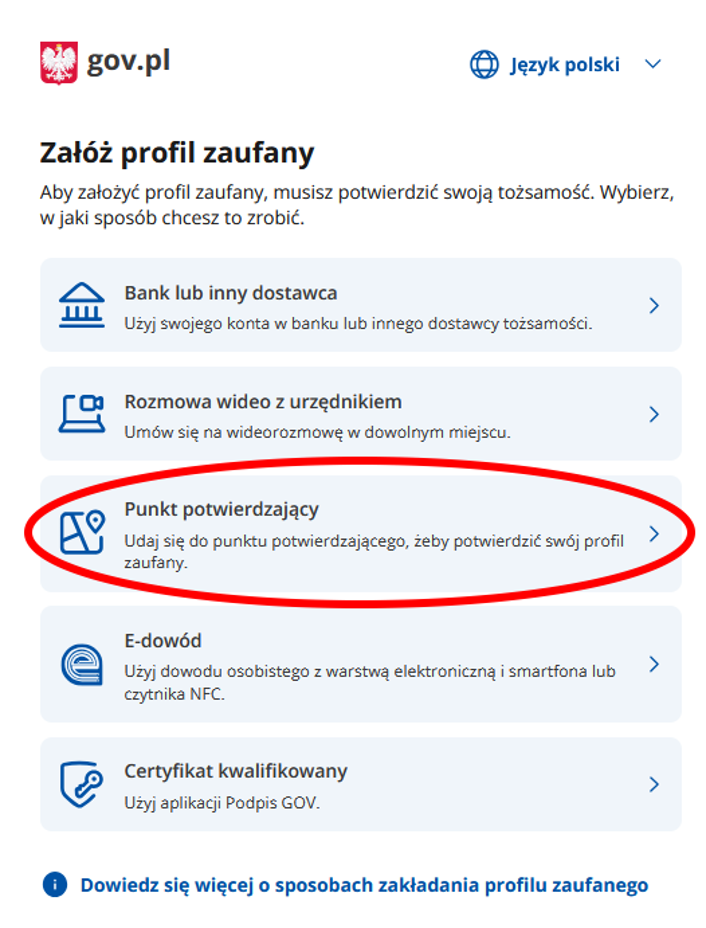
- First visit this site: https://pz.gov.pl/pz/registerMainPage
- Choose a method of registration.
In case of foreigners, two methods are valid:
- „Bank lub inny dostawca tożsamości” – this is registration through your bank account (only possible with Polish bank accounts). This option is faster, but much less reliable. If you change your bank or won’t be able to log in to the bank for any reason (including technical issues on the bank site), then you will not be able to use the Trusted Profile to access the residence permit case.
OR
- „Punkt potwierdzający” – this is registration through the government system. It is much more reliable, so I would recommend to use this. Further steps refer to this option.
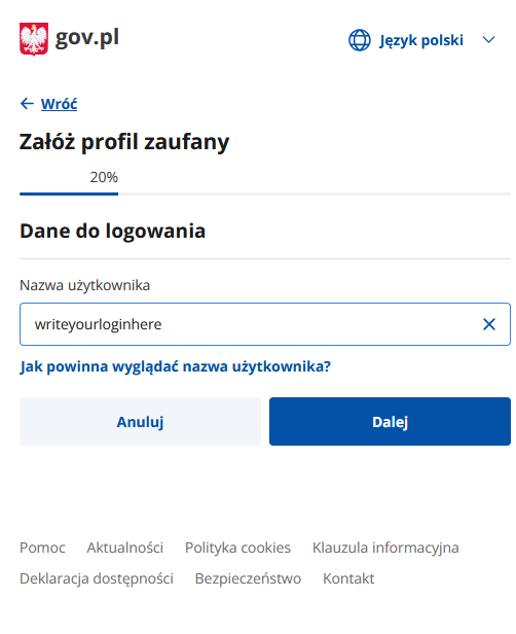
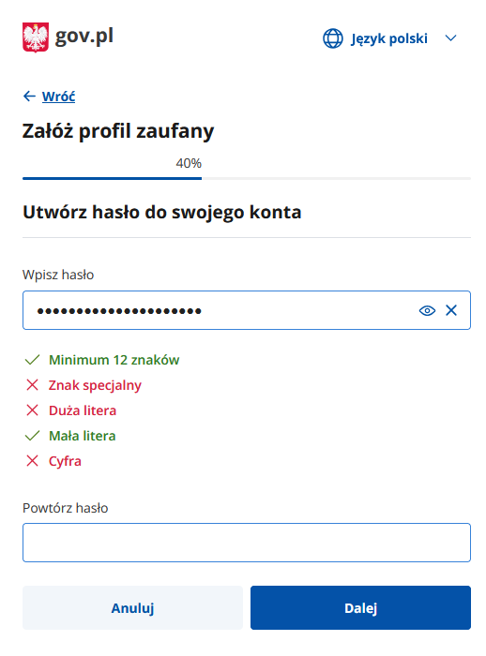
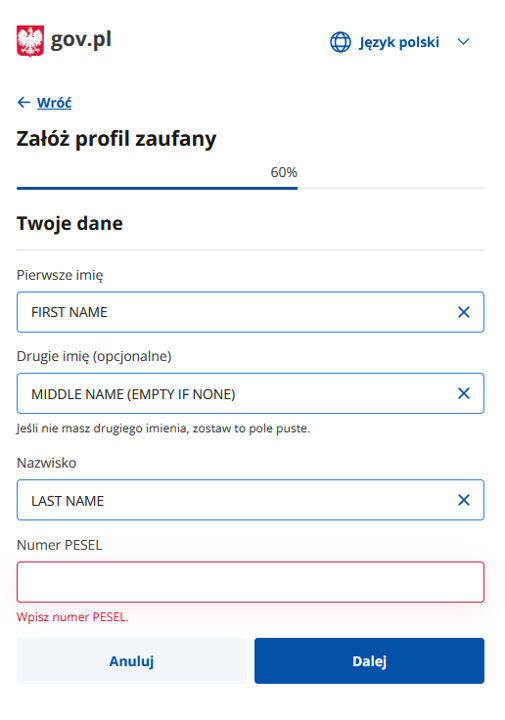
- Please fill in your details.
The login should be one word with no spaces, capital letters or special signs. It also must be unique, so if it is already used, the system may stop you from proceeding further.
The password should have at least 8 letters, including 1 capital letter, 1 small letter, 1 digit or special character (for example: @)
- When you are done, then:
– write down the text from the image,
– mark the box “Potwierdzam zapoznanie się z przepisami dotyczącymi profilu zaufanego i podpisu zaufanego”,
– and click on „Zarejestruj się”
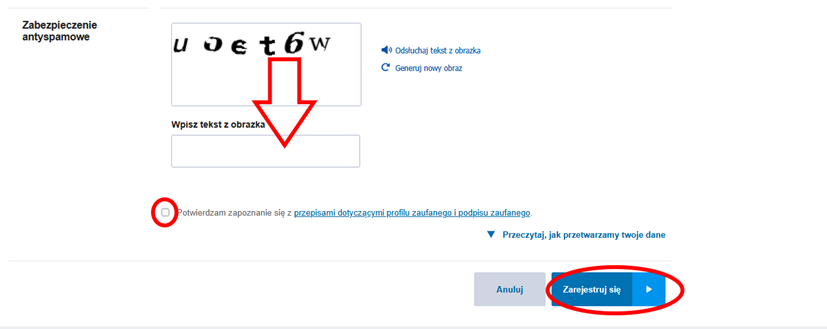
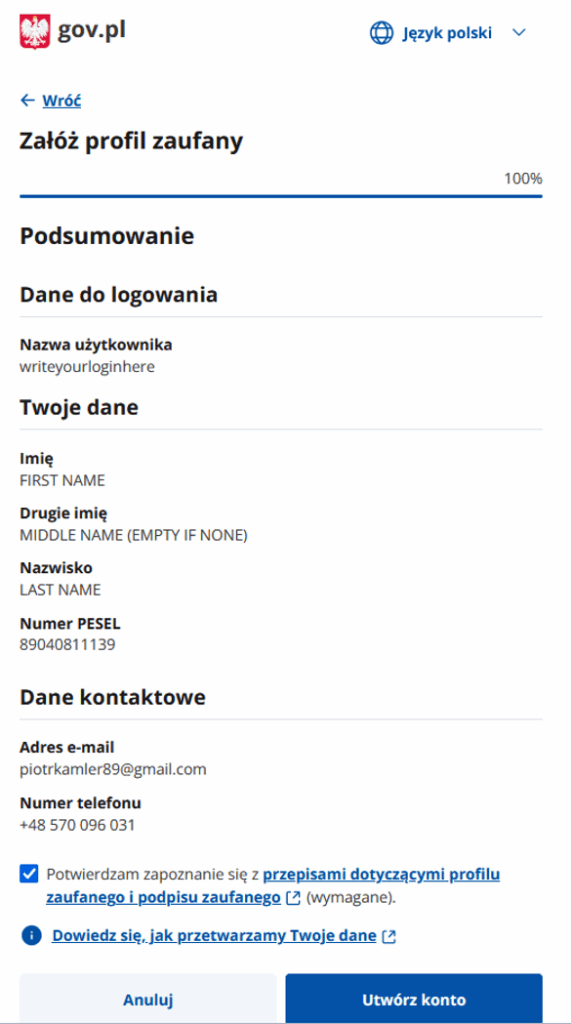
- When you are done, then:
– mark the box “Potwierdzam zapoznanie się z przepisami dotyczącymi profilu zaufanego i podpisu zaufanego”,
– and click on „Utwórz konto”
- If anything is not right, the system will stop you from proceeding and you will have to correct it.
- If it is fine, then you will be asked to check your email and write the code they sent you.
- Then you will be asked to check your phone and write the code they send you by sms.
- Once you write them these two codes, they will ask you to confirm your Trusted Profile account at any chosen government institution. You can check for the nearest place to confirm it if you go to the link “Znajdź najbliższy punkt potwierdzający”.
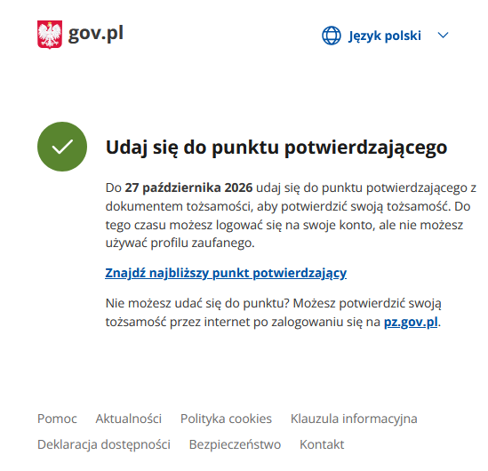
- You can check all places you can do this by writing your place of residence in Poland.
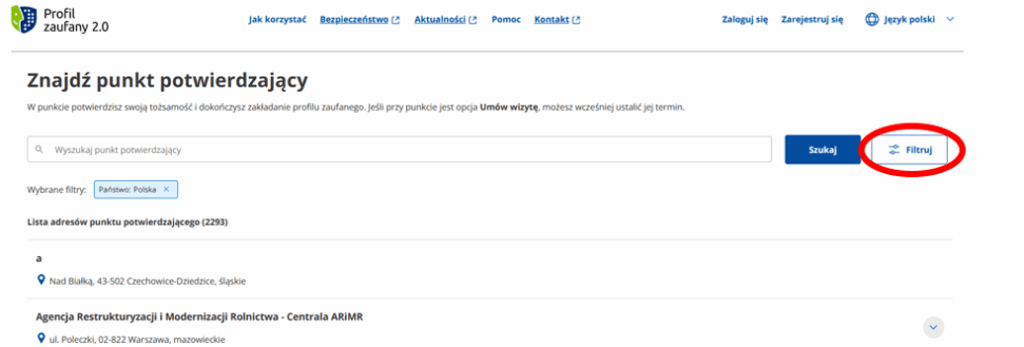
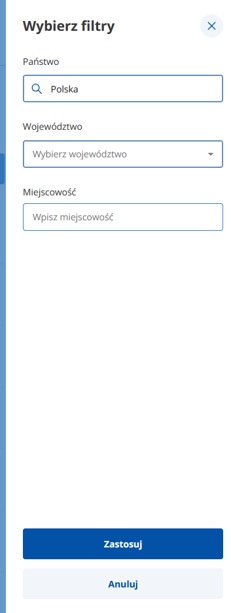
Any place is fine, but usually the most accessible is your local City Hall (Urząd Miasta).
When you go there, you should have your passport with you. If you tell them your PESEL, they should be able to see the application you filled in the system. The confirmation usually only takes a few minutes.
Once the Trusted Profile is confirmed, it is available for you to use immediately.
You can then immediately use your Trusted Profile for your residence permit application in MOS 2.0.
Do you need professional assistance with applying for a residence permit?
Feel free to contact us and take advantage of our services.